Seedance AI Video Workflow and API Guide
A practical Seedance guide to source preparation, prompts, video workflows, API parameter checks, copyright, privacy and output review.
What is Seedance 2.0?
ByteDance's next-generation AI video generation model
The New Benchmark in AI Video
Seedance 2.0 is ByteDance Seed team's latest AI video generation model, launched February 2026. Built on an innovative Diffusion Transformer architecture for temporal consistency, physics-aware motion, and realistic dynamics.
Core Capabilities
| Feature | Details |
|---|---|
| Text-to-Video | Describe scenes in natural language, AI generates video clips |
| Image-to-Video | Upload still images, AI adds motion and animation |
| Multimodal Input | Up to 12 reference files (9 images + 3 videos + 3 audio) |
| Native Audio Sync | Stereo audio with lip-sync in 8+ languages, SFX, music |
| Resolution | Up to 2K (1080p native), 4K coming soon |
| Duration | 4-15 second clips with video extension support |
| Art Styles | 12+ styles: realistic, anime, watercolor, paper-cut, etc. |
Competitor Comparison
| Feature | Seedance 2.0 | Sora 2 | Kling 3.0 | Veo 3.1 |
|---|---|---|---|---|
| Resolution | 2K | 1080p | 4K | 1080p-4K |
| Duration | 15s | 25s | 15s | 8s |
| Multimodal | 12 files | Text+image | Text+image+video | Text+image |
| Audio | Native sync | None | Native+lip-sync | Native |
| API Price | ~$0.04/s | ~$0.10-0.50/s | ~$0.029/s | ~$0.75/s |
Need AI Video API top-up? Get it through Neuronicx with Alipay, WeChat Pay & more.
Seedance 2.0 Usage Guide
Two ways: Dreamina platform / API integration
Step 1: Register on Dreamina
Visit dreamina.capcut.com, sign up with Google, Apple ID, or email. New users get 260 free credits. Dreamina is the official platform for Seedance 2.0.
Step 2: Choose Generation Mode
Select Video module, then choose: Text-to-Video (describe in words) or Image-to-Video (upload image + motion prompt). Select Seedance 2.0 as the model.
Step 3: Write Your Prompt
Be specific: subject + action + scene + lighting + camera movement (e.g., "cinematic dolly shot", "aerial view"). For I2V, describe only motion changes, not the image itself.
Step 4: Configure Settings
Choose aspect ratio (16:9/1:1/9:16), duration (4-15s), resolution (up to 2K). Use @ tags for references: @style, @motion, @audio, @camera. Costs 6 credits per generation.
Step 5: Generate & Iterate
Click generate, wait 1-3 minutes. Adjust prompt or settings to regenerate. Use Video Extension to continue the story. Iterate for best results.
Step 6: API Integration (Developers)
Use OpenAI-compatible third-party APIs (seedance2api.com, laozhang.ai). Supports text-to-video and image-to-video endpoints. Official Volcengine API coming soon.
Seedance 2.0 API Code Examples
Copy & paste (source: official API docs)
import requests, time

API_KEY = "your-api-key"
BASE_URL = "https://api.seedance2api.com/v1"

# Submit generation task
response = requests.post(
    f"{BASE_URL}/video/generations",
    headers={"Authorization": f"Bearer {API_KEY}"},
    json={
        "model": "seedance-2.0",
        "prompt": "A golden retriever running through a meadow, "
                  "cinematic dolly shot, golden hour lighting",
        "duration": 10,
        "aspect_ratio": "16:9",
        "resolution": "1080p"
    }
)
task_id = response.json()["task_id"]

# Poll for results
while True:
    status = requests.get(
        f"{BASE_URL}/video/generations/{task_id}",
        headers={"Authorization": f"Bearer {API_KEY}"}
    ).json()
    if status["status"] == "completed":
        print(f"Video URL: {status['video_url']}")
        break
time.sleep(5)Check Before You Act or Buy
Use the current listing, official documentation and actual account state
Confirm the Service Type
Distinguish a membership, API credits and software access before ordering.
Check Account Eligibility
Review the account region, current plan, sign-in method and applicable restrictions.
Review Current Terms
Confirm price, term, quota, delivery steps and available payment methods on the listing.
Confirm Support Scope
Use the listing, help center and order notes for the current support scope and hours.
Seedance 2.0 Interface & Results
From Dreamina platform and official demos

Text-to-Video
Natural language to cinematic clips
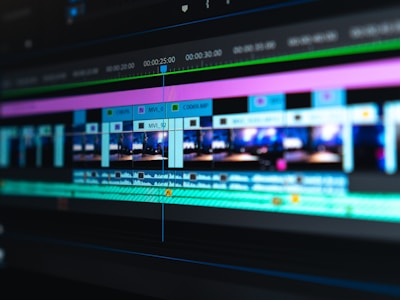
Image-to-Video
Add motion to still images

Camera Control
Professional cinematic movements

Audio Sync
Lip-sync, SFX, music

Dreamina
Official AI creative platform

Art Styles
12+ styles available
Video Tutorials
Learn Seedance 2.0 step by step
SEEDANCE 2.0 Could Change AI Video Forever
Create 30 Minute Videos With SEEDANCE 2.0
Frequently Asked Questions
Common questions about Seedance 2.0
Need to Check the Current Listing?
Tutorials explain a general workflow. Use the current listing for price, stock, eligibility, delivery time and support scope.
Third-party product names identify relevant listings and do not imply authorization, endorsement or partnership.
Direct answer
Before using a video model, verify the current version's supported inputs, outputs, duration and API parameters. Use only authorized source material and review generated output.
Third-party product names and trademarks identify relevant listings and remain the property of their respective owners. Unless a listing expressly states otherwise, no authorization, endorsement or partnership is implied.